Dojo Solo · For students on their own
Turn your book into a course.
Import the PDF you study with, using ChatGPT, Claude or Gemini. Dojo puts every question in its chapter, then tracks every answer you give.
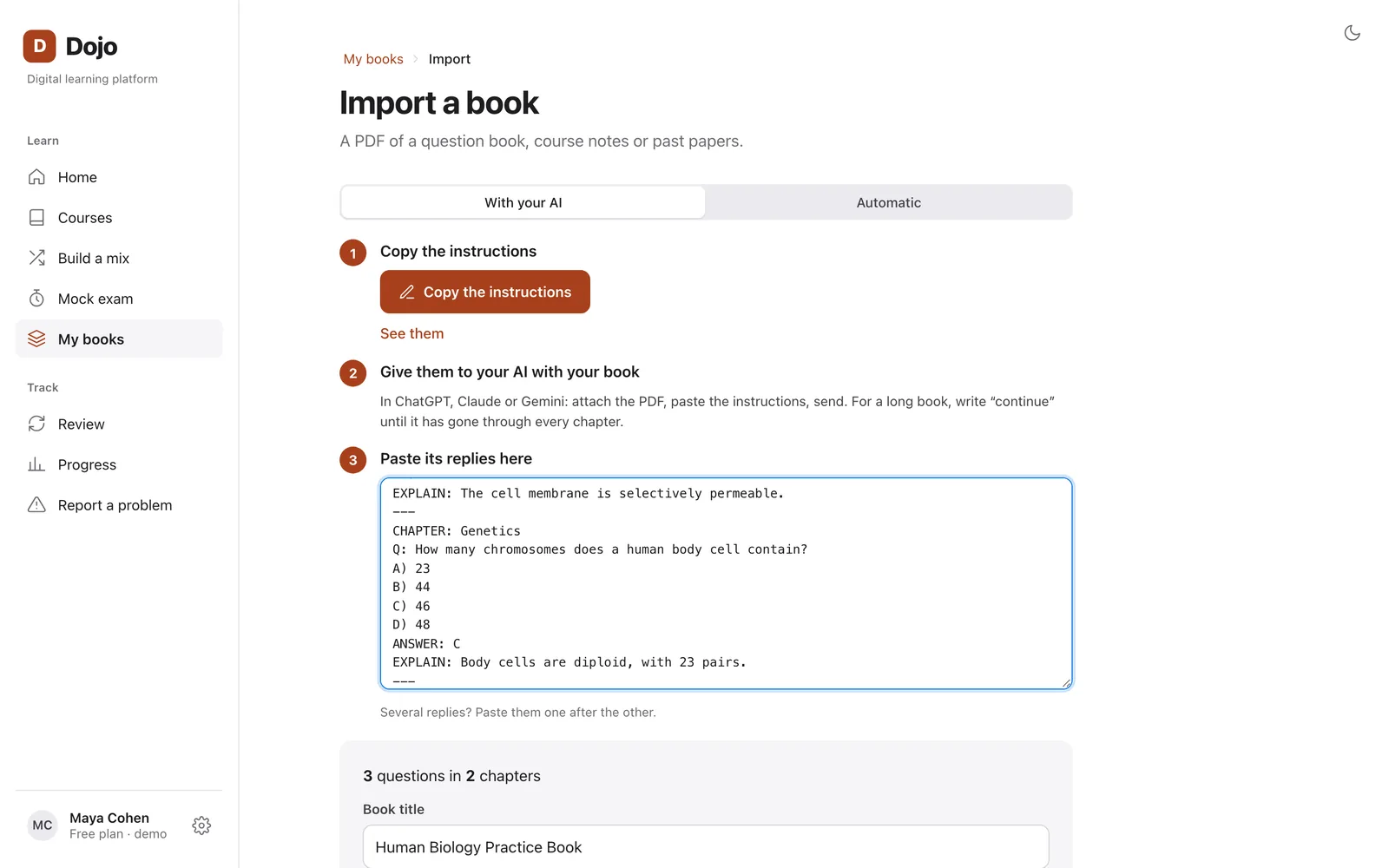
Three steps. With the AI you already use.
- 1
Copy our instructions
Copy them from Dojo, then paste them into your AI along with your PDF.
- 2
Paste the reply back
Chapters, questions, choices, correct answers, explanations and open problems are in place.
- 3
Frame the diagrams
Draw a box around each diagram in your PDF, right inside Dojo. It joins its question.
No answer key? You will know.
When the book does not give the answer, your AI works it out and Dojo marks the question Check, so you know which ones to verify.
Your PDF never goes through Dojo.
It goes from your device to your AI. Dojo keeps only the questions and the diagrams you frame.
Then, every day
Always know what to study next.
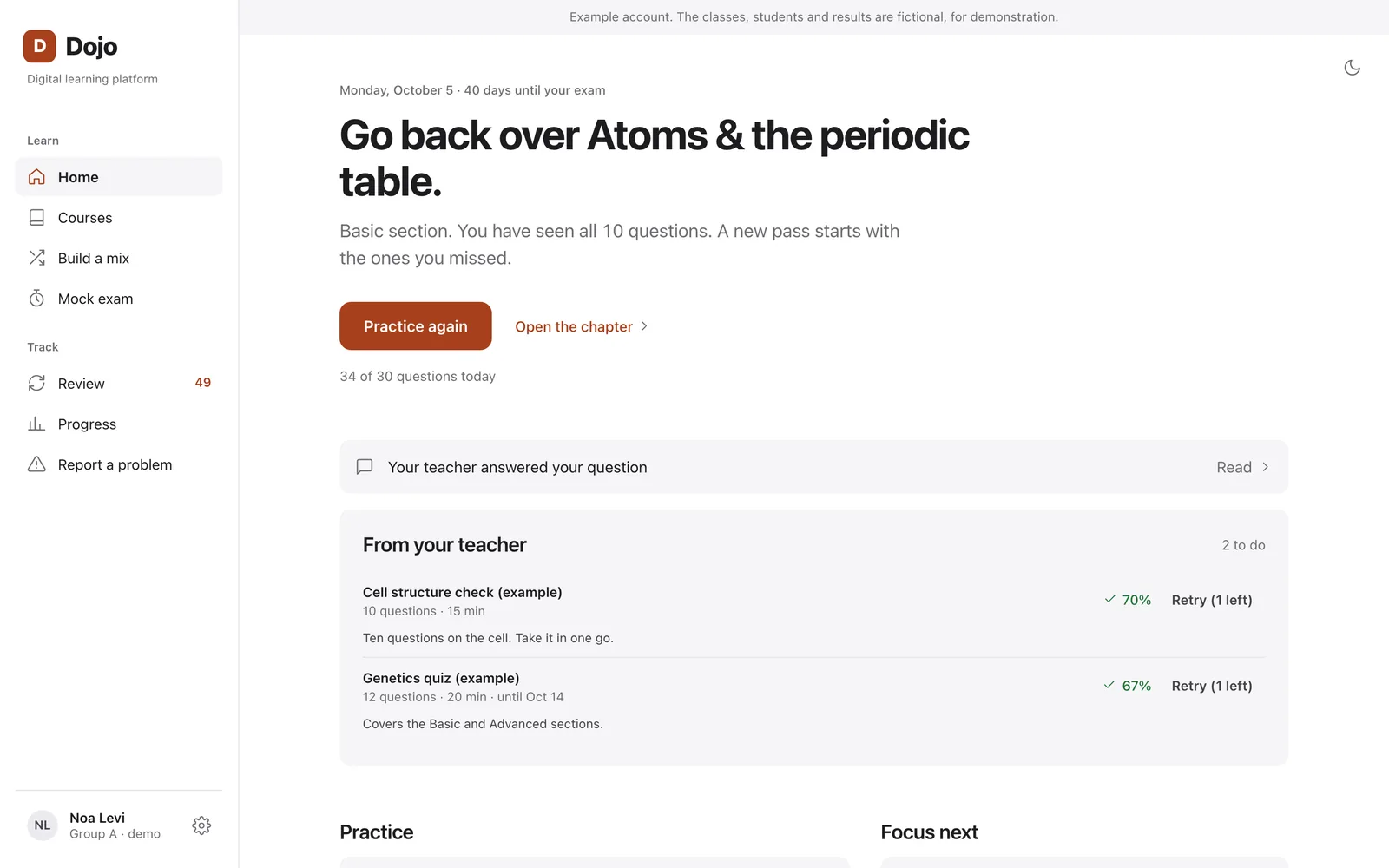
Your book gets the same tools as the schools on Dojo Campus. No teacher, no school. Just you and your exam.
- Practice by chapter, with the explanation after each answer
- Timed tests and mock exams
- Your mistakes in one list, with spaced review
- Progress by chapter and the days left before your exam
- Fix any question or add your own
Start free. Go Pro when you need more.
Free
₪0
- 1 book, up to 60 questions
- The Dojo sample course
- Practice, mock exams, mistakes and progress
Student accounts are not open yet. Join the waitlist and we will email you when they are. The demo is open now.
Questions students ask.
Which books work?
Any PDF with questions: question books, past papers, course notes with exercises. Multiple choice and problems with a final answer both work.
Which AI do I need?
One that can read a PDF: ChatGPT, Claude or Gemini.
What if the book has no answer key?
Your AI works out the answer. Dojo marks those questions Check so you know which ones to verify.
Does Dojo keep my PDF?
No. Your PDF goes from your device to your AI. Dojo keeps only the questions and the diagrams you frame.
My school uses Dojo. Do I need this?
No. Your school gives you access. Sign in with the email it registered.
Waitlist
Be the first to know.
Leave your email and we will write to you when student accounts open.